Berikut catatannya:
- Instal melalui apt-get: sudo apt-get install byzanz
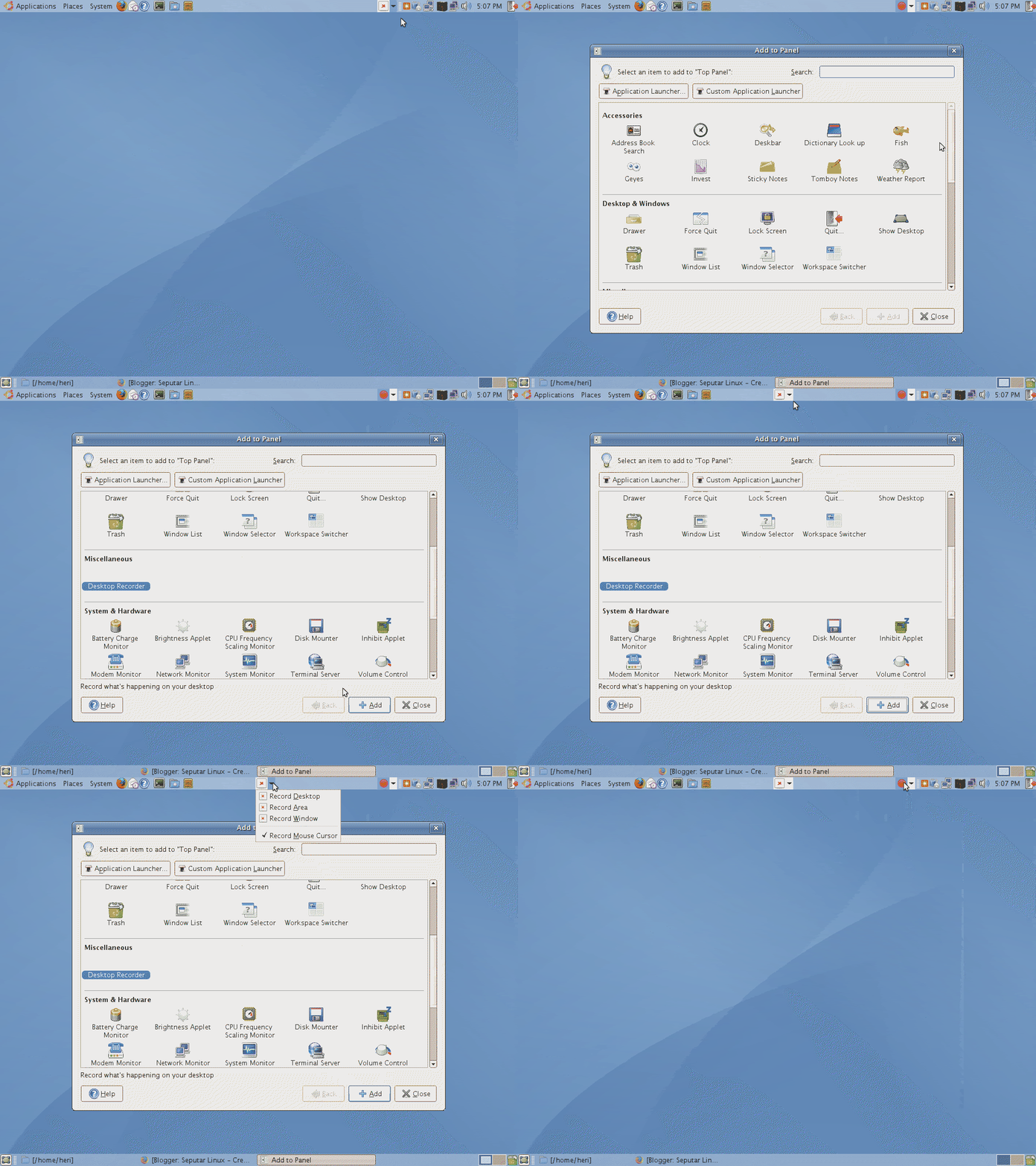
- Klik kanan panel atas> Add to Panel > Miscellaneus > Desktop Recorder >Add
- Untuk mulai merekam desktop, klik ikon di panel atas, tersedia pilihan Record Desktop, Record Area dan Record Window.

- Pada saat merekam berjalan, ikon berubah menjadi tombol merah.
- Untuk mengakhiri, tekan tombol merah tsb.

Berikut contohnya (klik gambar untuk melihat animasinya).
Referensi:
Free and Priceless
Linux Edge
EDITED: 04-07-2007 (thank's to Zaki)
